FREE PROJECT RESOURCES
Free Excel project planner with a weekly Gantt chart
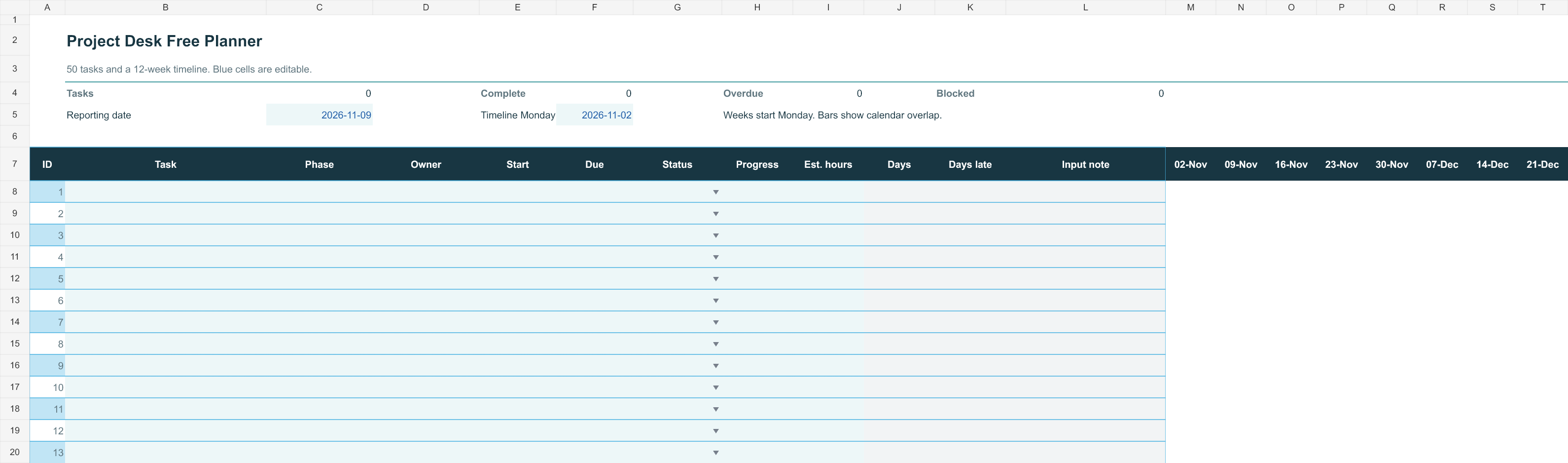
Plan up to 50 tasks across 12 weeks. Download the Excel file immediately, without an email address or account.
.xlsx · No macros · Microsoft 365 Excel for Windows required. Mac, mobile and Google Sheets are not supported in this release.
What you can do with it
- Give each task a name, owner, start date and due date.
- Enter progress and review the weekly timeline.
- Keep one small client project in a single workbook.
Start in four steps
- Download and keep an untouched backup.
- Open the file in Microsoft 365 Excel for Windows and read the instructions.
- Set the reporting date and enter your own tasks and dates.
- Update progress before your weekly review. The chart follows the dates you enter.
Example: a small website project
List the brief, content collection, design, build, review and launch as separate tasks. Give client approval its own row so it has an owner and a date. A timeline is useful only if the people responsible agree to the dates.
What the free file does not include
Capacity planning, costs, risk and change logs are in the paid toolkit. Neither workbook automatically schedules dependencies or allocates people's time.
Before using it for live work
Formula and file-structure checks have been completed. Native Excel opening, editing and print behavior have not yet been verified. Test the free file with dummy data in your setup before relying on it.
You can share this page with colleagues. For file-use terms, see the license.